


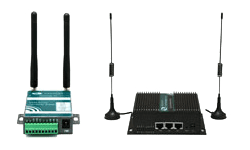
 Networking
 EMBEDDED SYSTEMS
 Switches
 Wireless Solutions
 Industrial Computer
 Cloud Services

4G Router with Ethernet for PLC, RTU, and SCADA Remote Access
PLC, RTU, and SCADA projects often require reliable communication between remote field equipment and a control center, cloud platform, or maintenance team. When fixed broadband is unavailable, expensive to install, temporary, or required as a backup path, cellular networking can provide a practical communication method for distributed industrial sites.
A 4G router with Ethernet can connect local wired equipment to a cellular network and provide a communication path between the field network and a SCADA server, private network, cloud platform, or remote engineering workstation. For industrial projects, a reliable deployment depends on more than signal strength. It requires suitable interfaces, network architecture, SIM and carrier planning, secure remote access, power design, redundancy, and remote-management methods.
This guide focuses on the network-design decisions that system integrators, automation engineers, utilities, equipment manufacturers, and maintenance teams should consider before deploying PLC, RTU, HMI, meter, sensor, camera, and control equipment across multiple remote locations.

When Is Cellular Connectivity Suitable for PLC, RTU, and SCADA Projects?
Cellular communication is commonly used when remote equipment needs to report data, transmit alarms, support remote maintenance, or connect to a supervisory system without depending only on fixed-line internet access. It can also be used as a backup network path for sites that normally operate through DSL, cable, fiber, satellite, or Metro Ethernet.
Remote Sites Without Fixed Broadband
Water-treatment stations, pumping stations, power-distribution cabinets, traffic-control cabinets, environmental-monitoring points, agricultural facilities, remote utility sites, oil-field equipment, and temporary construction projects may not have practical fixed-line network access. Cellular connectivity can provide backhaul for local Ethernet and serial equipment without requiring new cable installation.
Distributed Monitoring and Alarm Reporting
Many industrial monitoring projects do not require continuous high-bandwidth traffic. They may send sensor values, meter readings, equipment status, alarm events, protocol data, or scheduled reports at defined intervals. A cellular connection can support this type of distributed communication when the carrier network, SIM plan, antenna design, and connection architecture are matched to the application.
Backup Connectivity for Existing Industrial Networks
For sites that already use wired WAN, a cellular connection can be configured as a backup path. If the primary fixed-line connection becomes unavailable, the router can move traffic to the cellular network according to defined failover rules. This can help maintain communication between a remote site and the monitoring platform during a wired-WAN interruption.
Define the Field Equipment Before Selecting the Network Design
The first step is to identify every device that must connect at the remote site. A router is only one part of the industrial network architecture, so its Ethernet ports, serial interfaces, digital I/O, power input, security functions, and management requirements should be selected according to the actual equipment in the cabinet or field enclosure.
Ethernet Devices in a Control Cabinet
Modern PLCs, RTUs, HMIs, industrial switches, IP cameras, edge computers, networked meters, and controllers often use Ethernet. The network design should identify how many wired devices will connect locally, whether a switch is required, how IP addresses will be assigned, and whether the router needs separate LAN and WAN functions.
For example, a small pumping station may have one PLC and one HMI connected through Ethernet. A larger facility may include a PLC, industrial switch, power meter, IP camera, NVR, and maintenance laptop. The final network design should allow these devices to communicate locally while providing the required upstream connection to the control center or cloud platform.
Serial Devices and Legacy Equipment
Many industrial devices continue to use RS232 or RS485 serial communication. These can include older RTUs, flow meters, energy meters, sensors, alarm panels, controllers, and Modbus RTU devices. A project may require serial interfaces on the router, a separate serial server, or a protocol gateway that converts serial data for transmission through an IP network.
Digital Input and Output Requirements
Digital input and output functions may be needed when a site must monitor dry-contact status, detect alarms, read equipment state, or trigger a defined remote-control action. Before selecting a configuration, define the number of points, signal type, voltage range, alarm logic, and required notification method, such as SCADA alarm reporting, SMS, email, or cloud-platform alerts.
Protocol and Data-Flow Planning
Document the protocol used by each connected device before finalizing the communication design. Depending on the project, this may include Modbus TCP, Modbus RTU, DNP3, IEC protocols, OPC UA, MQTT, HTTP, HTTPS, or manufacturer-specific protocols. The design should define which system initiates communication, which ports are needed, whether communication is outbound or inbound, and how remote access will be protected.
Plan the Ethernet Network at the Remote Site
Ethernet-port requirements should be determined from the physical and logical network design, not only from the number of devices currently installed. A 4G router with Ethernet may be used as the cellular uplink for one local PLC or RTU, or as the network gateway for a cabinet containing several devices through an industrial Ethernet switch. Include reasonable expansion capacity when the site may later add an HMI, camera, meter, switch, remote I/O unit, or maintenance connection.
Single Ethernet Device Deployments
A compact site with one PLC, one RTU, or one industrial controller may only require a single LAN connection. The router can provide local Ethernet access while the cellular network carries data to a SCADA server, private network, cloud platform, or remote engineering workstation.
Multi-Device Control Cabinets
Sites with several Ethernet devices may require multiple router ports or an industrial Ethernet switch. In this design, the router provides cellular or WAN uplink connectivity, while the switch distributes local network access to PLCs, HMIs, meters, cameras, NVRs, and edge devices.
Ethernet WAN and Backup-Link Design
Some remote sites require both a wired WAN connection and cellular backup. In these cases, the network equipment must support the required WAN configuration and failover logic. The design should define the primary link, backup link, failure-detection method, failback behavior, and the traffic that may use the cellular network during an outage.
IP Addressing and Network Segmentation
Each remote site should use a documented IP-address plan. Avoid overlapping LAN subnets between sites if a VPN or private network will connect multiple locations. Consider whether PLCs, cameras, guest devices, engineering laptops, and maintenance equipment should be separated through VLANs, firewall rules, or different IP segments.
Choose the Cellular Network and SIM Configuration
Cellular network selection should be based on the deployment country, available operators, site coverage, required LTE bands, data requirements, and expected service life. A stable connection depends on matching the selected cellular module and SIM configuration to the local carrier network.
Check Carrier Coverage at the Actual Installation Site
Carrier coverage should be checked at the equipment location, not only at the city or regional level. Signal conditions can change because of cabinet placement, building construction, terrain, antenna height, nearby metal structures, and distance from the carrier base station. Where possible, conduct a site survey or test representative SIM cards before final deployment.
Verify LTE Bands and Cellular Module Compatibility
Different regions and carriers use different LTE frequency bands. Confirm the required carrier bands, supported cellular technologies, and regional hardware version before selecting the equipment. This is especially important for projects deployed in multiple countries or operating through a private LTE network.
Single SIM, Dual SIM, and Carrier Redundancy
A single-SIM configuration may be appropriate for standard monitoring projects with acceptable outage tolerance. Dual-SIM or multi-carrier planning can be considered where the site needs carrier redundancy, coverage flexibility, or a backup communication path. Define switching rules, signal thresholds, registration behavior, and expected data usage for each SIM before deployment.
Public Internet APN and Private APN
A public internet APN can be suitable for many outbound data-reporting applications when communication is protected by VPN, TLS, or another appropriate security method. A private APN may be considered when the carrier provides private addressing, controlled access, dedicated routing, or enterprise-network integration. Confirm the required APN, authentication method, static-IP option, and routing requirements with the carrier before deployment.
Secure Remote Access to SCADA and RTU Networks
Remote industrial equipment should not be exposed to the public internet without a documented security design. The communication path between a field site and the monitoring center should use suitable authentication, routing, firewall policies, and encrypted access methods based on the project risk level and operational requirements.
Use VPN for Private Communication and Remote Maintenance
A VPN can create an encrypted communication path between the field router and a server, cloud gateway, headquarters firewall, or engineering workstation. Depending on the project environment, the design may use IPsec, OpenVPN, L2TP/IPsec, GRE with additional security controls, or another supported protocol. Select the method according to the remote endpoint, authentication method, network topology, and maintenance workflow.
Define Remote-Access Permissions
Not every connected device should be reachable by every user. Define which users or maintenance teams can access the PLC, RTU, HMI, camera, switch, router, or local web interface. Use firewall rules, VPN user access, network segmentation, port restrictions, and strong credentials to limit access to the systems required for each role.
Avoid Unnecessary Public Port Forwarding
Public port forwarding can increase exposure when routers, PLCs, cameras, or web interfaces are directly reachable from the internet. Where possible, use a VPN client connection, private APN, centralized network-management platform, or outbound secure connection instead of exposing industrial-device ports publicly.
Plan Routing Between Remote Subnets
A VPN connection alone does not always provide access to a PLC or RTU behind the router. The network plan should include correct local subnets, remote subnets, routing rules, firewall policies, and gateway settings. This is particularly important when a central SCADA server communicates with multiple remote sites through a VPN hub or private network.
Design Failover and Connection Monitoring
Where communication availability is important, network redundancy should be planned before installation. A site may use cellular, Ethernet WAN, and Wi-Fi client connection paths, but the correct failover design depends on the local network architecture and the application’s tolerance for interruption.
Define Primary and Backup Links
Document which connection is primary and which connection is backup. A common design uses fixed Ethernet WAN as the primary path and 4G LTE as the backup. Other sites may use cellular as the primary connection with a second carrier, wired WAN, or Wi-Fi client link as the backup path.
Set Realistic Failure-Detection Rules
Failover should not rely only on a physical Ethernet link state. A wired connection can remain physically active while internet access, DNS resolution, or the remote server path has failed. Use suitable link checks, such as gateway reachability, DNS checks, ICMP tests, or configured remote-host checks, according to the project requirements.
Plan Failback and Data-Usage Control
When a primary link recovers, the network may return automatically to the preferred connection or remain on the backup link until an operator confirms the change. The correct behavior depends on the site requirements. Monitor cellular data usage, particularly when 4G is intended only for emergency backup and may carry unexpected traffic during a wired-WAN outage.
Power, Installation, and Environmental Planning
Industrial connectivity devices are often installed in electrical cabinets, roadside enclosures, outdoor equipment rooms, vehicles, pump stations, substations, and remote field locations. Power design and physical installation can affect long-term communication reliability as much as network configuration.
Power Input and Backup Power
Confirm the available DC supply, voltage range, power quality, grounding method, and whether the site requires dual power input or power-failover capability. For sites with critical monitoring functions, consider whether the router, switch, PLC, and associated communication equipment should be supported by a UPS, battery system, or backup supply.
Mounting and Cabinet Layout
Select a mounting method that fits the site, such as DIN rail, wall mount, panel mount, or desktop placement. Allow sufficient space for Ethernet cables, antenna leads, SIM-card access, ventilation, maintenance, and safe cable routing. Avoid sharp antenna-cable bends, excessive cable length, and routing antenna cables alongside high-noise power cables where possible.
Temperature, Humidity, Vibration, and Surge Conditions
Evaluate the expected operating environment before deployment. Consider the temperature range, condensation risk, dust, vibration, shock, power surges, electromagnetic interference, cabinet protection, and outdoor-enclosure design. Vehicle and roadside deployments may require additional review of ignition behavior, power transients, vibration, and antenna mounting.
Remote Management for Multi-Site Deployments
When a project includes many remote stations, manual local maintenance can become costly and slow. A remote-management plan can reduce field visits by allowing authorized teams to review device status, update configurations, monitor data usage, collect logs, apply firmware updates, and diagnose connection problems from a central location.
Define the Required Management Method
Depending on the system architecture, a project may use web management, SSH, command-line access, SMS, SNMP, TR-069, API integration, or a centralized network-management platform. The selected management method should match the security policy, required deployment scale, operator skill level, and maintenance process.
Monitor Connection Status and Data Usage
Useful monitoring items may include cellular registration status, signal level, WAN state, VPN state, router uptime, data consumption, device alarms, configuration changes, and firmware version. Define thresholds and alert recipients before deployment so abnormal conditions can be investigated before they interrupt field operations.
Plan Firmware and Configuration Maintenance
For multi-site deployments, maintain a record of each site’s router model, firmware version, carrier, APN, SIM identifier, IP addressing, VPN profile, interface configuration, and connected equipment. Controlled configuration templates and backup files can reduce inconsistencies between sites and simplify replacement or recovery procedures.
SCADA and RTU Cellular Network Design Checklist
|
Planning Area |
Information to Confirm |
|
Connected devices |
PLC, RTU, HMI, meter, sensor, camera, switch, NVR, controller, and maintenance-laptop requirements |
|
Interfaces |
Required Ethernet ports, LAN/WAN roles, RS232, RS485, DI/DO, console access, Wi-Fi, and GPS/GNSS requirements |
|
Cellular network |
Deployment country, carrier, LTE bands, SIM type, APN, private-APN option, static-IP requirement, data plan, and roaming requirement |
|
Protocol and traffic |
Modbus TCP, Modbus RTU, SCADA protocol, MQTT, OPC UA, DNP3, polling interval, alarm traffic, remote-maintenance traffic, and expected data volume |
|
Security |
VPN protocol, VPN endpoint, authentication method, certificates, firewall rules, user permissions, local subnets, remote subnets, and port restrictions |
|
Redundancy |
Primary WAN, backup WAN, dual-SIM requirement, failover trigger, failback rules, link-detection method, and backup data-usage limit |
|
Power and installation |
DC input range, backup power, mounting method, cabinet space, antenna position, cable routing, environmental conditions, and vehicle requirements |
|
Remote management |
Web UI, SSH, SMS, SNMP, TR-069, API, centralized management platform, alert rules, firmware-update process, and configuration-backup method |
Example SCADA and RTU Communication Architecture
The following example shows a common communication path for a remote industrial site. The actual protocol, security method, hardware interfaces, cellular bands, and addressing scheme should be configured according to the project requirements.
PLC / RTU / HMI / Meter / Sensor
            |
            | Ethernet, RS232, RS485, or DI/DO
            |
Industrial Cellular Router
            |
            | 4G LTE / Ethernet WAN Backup / Wi-Fi Client Backup
            |
VPN or Private APN
            |
SCADA Server / Cloud Platform / Control Center / Remote Engineer
Example: Remote Pumping Station
A remote pumping station may include a PLC, HMI, flow meter, pressure sensor, and alarm contact. The PLC and HMI can use Ethernet, while the flow meter may use RS485. The cellular router provides remote connectivity, and a VPN links the site to the control center. A digital input can report alarm status, while a defined failover design can use a wired WAN or secondary cellular path when the primary connection is unavailable.
Example: Utility Monitoring Cabinet
A utility-monitoring cabinet may include an RTU, power meter, environmental sensor, and IP camera. The RTU and meter can use serial or Ethernet communication, while the camera uses Ethernet through a local switch. The network design should account for the additional bandwidth and data usage created by video, especially if remote live viewing is required. VPN access and firewall rules can separate monitoring traffic from maintenance access.
FAQ
Can a cellular router connect directly to a PLC?
Yes, if the PLC has a compatible Ethernet interface or is connected through a suitable serial, gateway, or switch configuration. The router must be configured with the correct IP addressing, routing, security policy, and remote-access method for the PLC communication design.
Do I need RS485 if my PLC already has Ethernet?
Not necessarily. RS485 is required when the site includes serial devices such as meters, sensors, older RTUs, or Modbus RTU equipment. If all connected devices use Ethernet, serial interfaces may not be required. The final configuration should be based on the complete field-device list.
Is dual SIM necessary for SCADA monitoring?
Dual SIM is not required for every project. It may be considered where the site needs carrier redundancy, coverage flexibility, or a backup communication path. Standard monitoring sites with acceptable outage tolerance may use a single-SIM configuration.
Which VPN is suitable for remote PLC and RTU access?
The suitable VPN depends on the central server, firewall, authentication method, network topology, and security policy. IPsec, OpenVPN, L2TP/IPsec, and other supported VPN methods can be used in different project environments. The selected router and remote endpoint must support compatible settings.
Can one router support a PLC, RTU, and IP camera at the same site?
Yes, if the Ethernet-port capacity, local switching design, available bandwidth, data plan, power supply, and security policy are suitable. Video traffic from an IP camera should be evaluated separately because continuous streaming can use substantially more upstream bandwidth and cellular data than PLC or RTU telemetry.
Why is a private APN considered for industrial remote monitoring?
A private APN may provide controlled carrier-network access, private addressing, dedicated routing, or integration with an enterprise network. It can be useful for projects that require managed communication between many remote sites and a central platform. Availability and configuration depend on the mobile carrier.
Select Hardware Based on the Site Network Design
After defining the field equipment, network architecture, carrier requirements, interfaces, security design, redundancy rules, and installation conditions, the next step is to match the hardware configuration to the project. For deployments that require Ethernet connectivity, cellular access, optional serial interfaces, digital I/O, VPN, remote management, and multi-WAN functions, review the available 4G router with Ethernet configurations.
For related connectivity topics, see the guide on router failover for backup connectivity, the overview of 4G router load balancing, and the article on external antenna installation for 4G routers.


